
Send a form to people
Ask members to fill in a live form, with a due date and a message, and see who has filled it in.
Anyone can fill in a live form from the library. Send it when you need particular people to fill it in, such as a new starter’s first-week forms or an annual declaration.
Send a form
Section titled “Send a form”-
Go to People›Form and open a live form. You can also click ⋯ on its row in the library and choose Send….
-
Click Send.
-
Choose the People to ask. Add an optional Due date and Message.
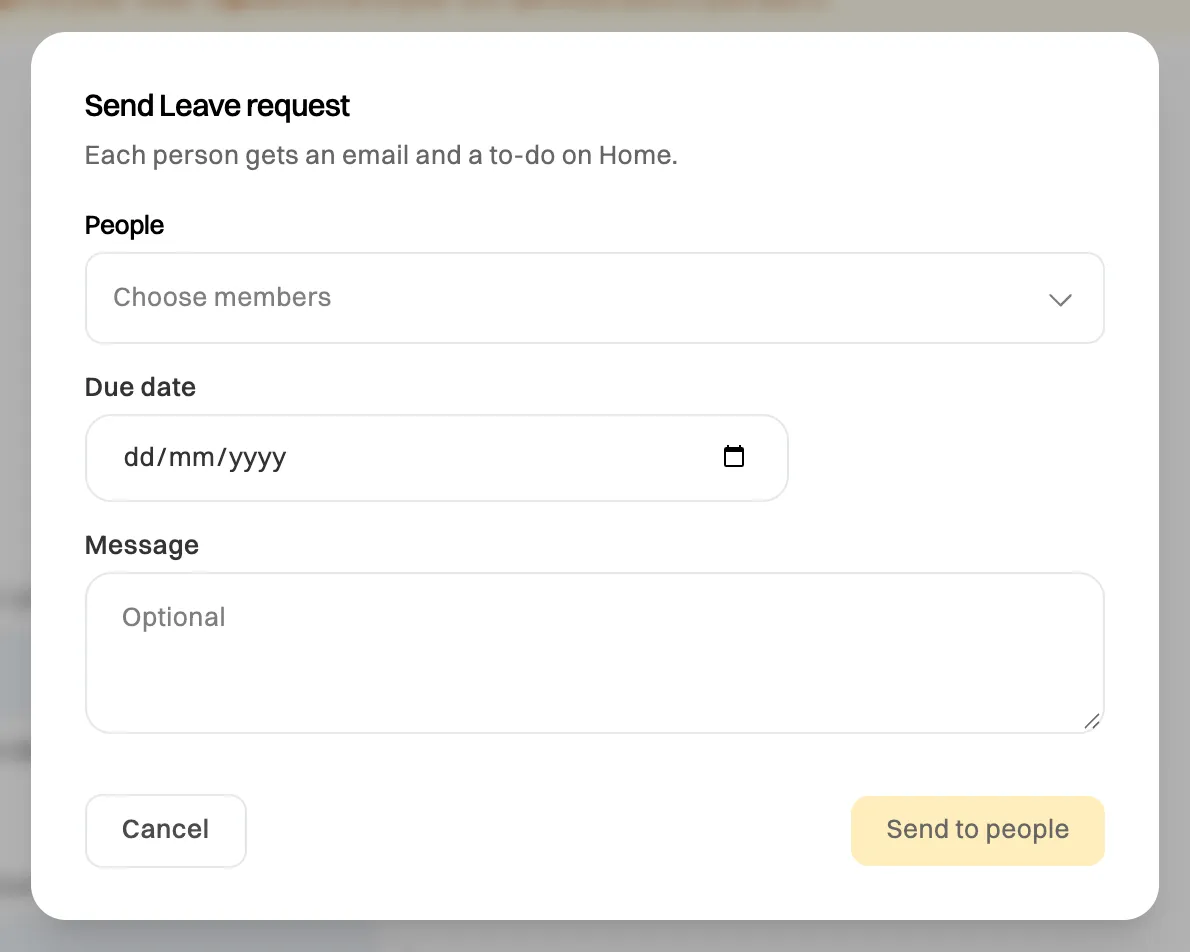
The due date and message apply to everyone you choose. -
Click Send to people. Each person gets an email and a to-do on Home, and the form appears under To fill for them.
Anyone who already has the form waiting on their Home isn’t asked again. People who have left, or haven’t joined yet, are skipped.
A form set to Only people it’s sent to can be filled in only by people you’ve sent it to. It shows By request in the library.
Send forms when you invite someone
Section titled “Send forms when you invite someone”When you invite a member, tick the forms under Also send these forms, and add an optional due date. If they don’t have an account yet, the invite email lists the forms, and they’re waiting on Home the first time they sign in.
See who has filled it in
Section titled “See who has filled it in”Open the form and go to its Requests tab. Each person shows as Waiting (with Overdue once the due date has passed), Sent back once they’ve filled it in, or Cancelled.
To cancel a request, click Cancel on its row. The person’s to-do is removed. The person who sent the request, or an Admin, can cancel it.
Reminders
Section titled “Reminders”Wikidoc doesn’t send reminder emails for forms yet. Overdue requests show Overdue on the form’s Requests tab.